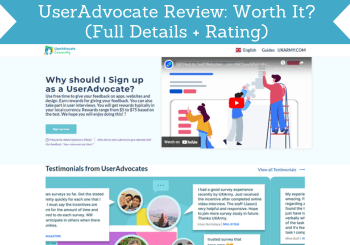
I looked inside UserAdvocate to see if its user tests are worth your time. It is legit, pays around $10 per test with no payout threshold, but how many tests you get depends on where you live. Below is what I found, and which sites I recommend instead.

Tested by Mikael (EarnWithMike)Founder and lead testerMikael founded PaidFromSurveys in 2016 and has personally tested hundreds of survey and GPT sites since then. He shows his tests and payment proof to 555K+ subscribers on his YouTube channel, EarnWithMike. He looked inside UserAdvocate himself and does not earn a commission from it.Learn more about Mikael
Last retested · First published
Legit user testing app with decent pay, but few tests outside the US, UK and Canada
Around $10 per test, paid by PayPal or direct bank transfer with no threshold. You speak your thoughts out loud, so you need a quiet room.
On this page
The short answer
UserAdvocate is legit. It is the user testing platform of UXArmy, and you can really earn from the tests you do. It offers decent pay, around $10 per test, and convenient payout methods without a threshold.
But the number of tests depends on your location. In the US, UK or Canada you get the most opportunities; in a small country, you hardly get any invitations. You also speak your thoughts out loud, so you need a quiet room. I only recommend it as an extra user testing site.
- Offers convenient payout methods
- No payout threshold
- Simple tasks, no technical knowledge needed
- Screen recording built into the app
- Intuitive app for Android and iOS
- Limited earning opportunities
- Requires you to perform tests in a quiet room
- Few invitations if you live in a small country
- You need to install the app to do tests
My experience with UserAdvocate
I signed up for UserAdvocate, installed the app and made a video that gives you an inside look. This is what I looked at, and what I did not test.
- First tested
- June 2024Review first published Jun 20, 2024
- Latest retest
- Checked: tests, payouts, support
- Pay per test
- Around $10 on averageFor tests where you record your screen and speak out your thoughts
- Payout threshold
- NonePayPal or direct bank transfer
- The registration form and the confirmation email
- The UserAdvocate app and how tests work
- The payout options
- The FAQ and the contact form in the app
- A payout. My review does not show a payment from UserAdvocate.
An inside look at UserAdvocate
I made a video that gives you an inside look and shows exactly how you can earn from UserAdvocate.
Screenshots from my test
UserAdvocate at a glance
| What it is | The user testing platform of UXArmy, a user research company |
|---|---|
| Ways to earn | Usability tests of websites and apps, sent by email |
| What a test asks | Simple tasks while you record your screen and speak out your thoughts |
| Pay per test | Around $10 on average, depending on the complexity of the tasks |
| Minimum cashout | None |
| Payout methods | PayPal or direct bank transfer |
| App | Needed to do tests. Android and iOS, with built-in screen recording. |
| Who can join | More or less worldwide. The most tests go to people in the US, UK and Canada. |
| Support | FAQ on the website, and a contact form in the app |
Is UserAdvocate legit and safe?
Yes, UserAdvocate is legit, because you can really earn from the tests. But that does not automatically mean it is worth your time. Here is what you should know before you sign up.
- Tests depend on where you live
People in the US, UK or Canada usually get the most opportunities. If you live in a small country, you hardly get any invitations. Clients decide where their testers must live.
- You need a quiet room
You speak out your thoughts while you test. One of the main reasons UserAdvocate rejects a submission is a voice that cannot be heard clearly because of background noise.
- Every test is reviewed
You upload your recording and wait for confirmation. You are only paid when your submission is approved.
- Upload over Wi-Fi
UserAdvocate recommends uploading your recording over Wi-Fi, because mobile connections can incur high costs.
My takeIn my opinion, UserAdvocate is not a bad user testing platform. It offers decent pay and convenient payout methods. You just have to make sure you perform tests in a quiet room because you will have to speak out your thoughts. So, it’s not something you can do anywhere.
UserAdvocate has few tests outside the US, UK and Canada. These sites give you more ways to earn.
See the best alternativesHow you earn on UserAdvocate
There is only one way to earn: usability tests of websites and apps.
Usability testsAround $10 per test
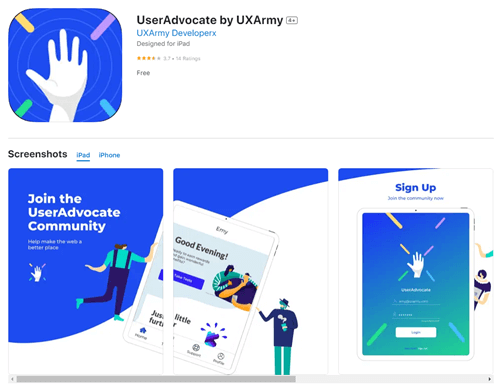
You receive an email when there are tests you can do, so check your inbox regularly. Install the UserAdvocate app, log in, and follow the instructions in the email.
Most tests ask you to test a website or app. You record your screen with the app’s built-in feature and speak out your thoughts. The tasks are simple, so you do not need technical knowledge: site and app owners want insight from a user’s perspective.
After the test, upload your recording, preferably over Wi-Fi, and wait for confirmation. If your submission is approved, you receive your earnings through the payment method you chose.
How much can you make?
It depends on how many tests you can complete, and that depends on your location. In the US, UK or Canada, there are more opportunities to earn. In a small country, you will seldom receive test invites.
A test usually pays around $10, depending on the complexity of the tasks. The tests do not take that long, so the time-to-money ratio is fairly decent, in my opinion.
Overall, its earning potential is not that bad compared to some popular user testing sites I have tested. For more, see the best user testing sites.
Payout methods and minimum
| Method | Minimum |
|---|---|
| PayPal | None |
| Direct bank transfer | None |
You earn a certain amount for every approved test. The payout system is relatively straightforward, and you do not have to hit a threshold to receive your earnings.
For more sites with a simple and convenient payout method, see the top sites that pay via direct bank transfer.
Who can join, and how
The site does not say exactly which countries it is available in. As far as I can tell, it is available more or less worldwide, but some countries get more opportunities to earn.
Fill out the registration form and click the link in the confirmation email. Then install the app, so you can do tests. It works on Android and iOS, and the interface is quite intuitive.
UserAdvocate alternatives I have reviewed
| Site | Best for | Min. cashout | My rating |
|---|---|---|---|
| Userlytics | Usability tests that pay rather well | No threshold | 3.6 / 5 |
| TestingTime | Good pay per test, but few invites | Varies by country | 3.6 / 5 |
| UserTesting | Recorded website tests, around $10 each | Paid per test, PayPal only | 3.4 / 5 |
| User Interviews | Paid interviews and studies, mostly for US residents | No threshold; paid per study | 3.4 / 5 |
If you are looking for primary ways to earn extra cash, see the top survey and GPT sites in your country. They all have good earning potential.
How I scored UserAdvocate
I use the same 100-point system for every platform. See how I test and rate.
UserAdvocate scores 62 out of 100. It is fine as an extra user testing site. For a primary way to earn, see these first.
See the best alternativesUserAdvocate FAQ
Is UserAdvocate a scam?
No. UserAdvocate is the legit user testing platform of UXArmy. You can really earn from the tests, but the number of tests depends on where you live.
How much does UserAdvocate pay?
Around $10 per test on average, depending on the complexity of the tasks.
How does UserAdvocate pay?
Through PayPal or direct bank transfer. There is no payout threshold.
Who can join UserAdvocate?
As far as I can tell, people more or less worldwide. People in the US, UK and Canada usually get the most tests.
Do I need the app?
Yes. You need the UserAdvocate app for Android or iOS to do tests. It has built-in screen recording.
Why would a test be rejected?
One of the main reasons is that your voice cannot be heard clearly because of background noise. Do your tests in a quiet room.
How do I contact UserAdvocate?
Check the FAQ on the website first. Otherwise, log in to the app, go to Contact Us and fill out the form.
Who tested UserAdvocate for this review
Founder of PaidFromSurveys.com since 2016. Mikael has tested hundreds of survey and GPT sites and shares his tests with 555K+ subscribers on YouTube (October 2026).
If you have any comments, questions, or experiences with UserAdvocate, I would love to hear from you in a comment below.